Entra user accounts missing the Member attribute
This week I was having some troubles with dynamic groups, as well with groups in Intune Remediation scripts with an assigned group. Some users that where member of the group didn’t get policies assigned or remediation scripts applied. After some investigation I noticed that some users where lacking the user type. After setting the user type to member it solved all my problems.
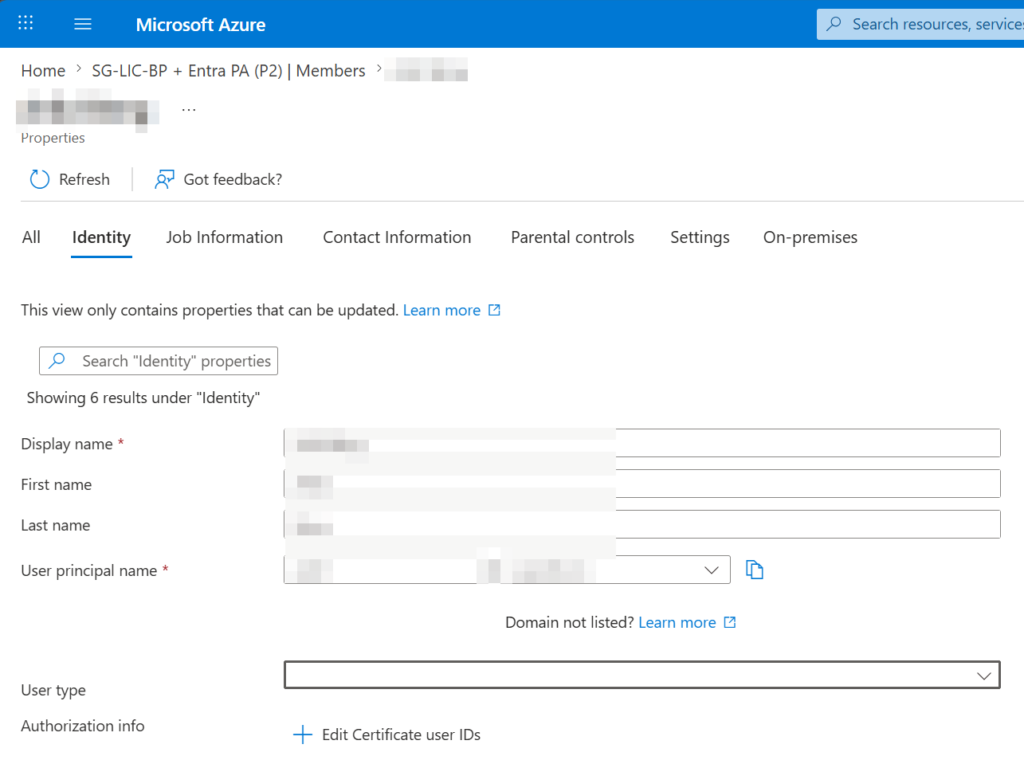
Luckely it is a quick fix to change the setting for the specific user:
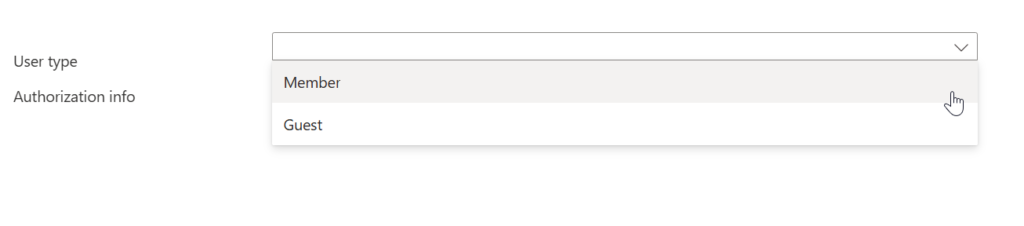
How is this possible?
I found this article that says “UserType” (Guest/Member) was first introduced on August 31st 2014. So all users that have been created before that date will miss this property in Entra ID.
Prepping for new management features | Microsoft Community Hub
Can we do this in bulk?
Yes you can with Powershell and the Graph API
Open an elevated PowerShell window and install the Microsoft.Graph module:Install-Module Microsoft.Graph -Scope CurrentUser -Force
Connect to your tenant:Connect-MgGraph -Scopes "User.ReadWrite.All"
Update the specific user (replace the UPN and UserType as needed):Update-MgUser -UserId "user@yourdomain.com" -UserType "Member" [1, 2]
About The Author
